
Introducción
I don’t say this a lot about synthesizers I review, but with Plinky, it truly was love at first sight. There’s something so different about this device that once you’re lucky enough to get your hands on it, it’s difficult to put it down.
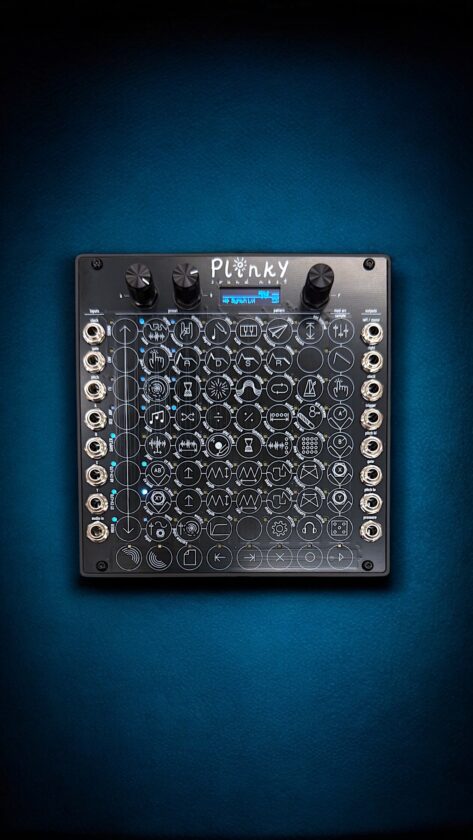
Plinky departs from conventional hardware design in both form and function. Created by mmalex (who encountered supply chain issues in 2021), and now produced by Making Sound Machines, this compact device offers an unconventional interface based around a touch-sensitive PCB. Instead of buttons and keys, it uses pressure and gestures across a 64-pad grid.
Over two months of studio use, Plinky shifted from an occasional test unit to a frequent tool for composition. The unusual layout and tactile interface require a learning period, but once understood, they allow for fast, expressive sound creation.
Design and Build
Plinky measures 128.5 × 122.16 × 0.33 cm and weighs around 2.4 pounds, small enough to drop into an Eurorack system or rest on a desktop using its enclosure. The entire front surface is a matte PCB covered in bright white glyphs and touch-reactive LEDs, giving it a distinctive, sci-fi look.
After completing calibration, the touch surface responds accurately, and the knobs offer firm, wobble-free rotation.
To operate, the device uses USB-C for power. During extended sessions, the unit stayed cool and stable with no rattling or loose components.
Interface and Workflow
Plinky’s layout may look unusual at first, but it’ll feel familiar to anyone who’s used the Beetlecrab Tempera. Both instruments use a conductive touch surface with gesture-based control. Here, eight vertical touch-sensitive rows form a 64-pad grid, with most features accessed via shift-layer combinations. The printed glyphs and their minimal labels act as visual hints, but navigating the full workflow still takes some manual reading and exploration.
The small OLED display is sharp enough to navigate menus and confirm parameter changes. Despite its small size, Plinky includes advanced functions like granular sampling, four oscillators per voice, modulation routing, delay, reverb, and CV control. Its full feature set is impressive and competes with what’s found in much larger instruments.
As mentioned before, there is a learning curve, and if you’re accustomed to synths that have every function laid out, Plinky’s layered interface takes time to adjust to. Navigation becomes smoother with repetition, but the process involves deliberate practice, not casual tinkering.
Sound Quality
Plinky stands out for its tone. Even with no parameter changes, the presets offer gritty, melancholic textures that cut through. It excels at angry growls and textured soundscapes with a distinct digital character. Through headphones, stereo effects and subtle movement are more apparent, while monitors reveal the midrange growl and low-end weight in a mix.
The granular engine introduces high-frequency sparkle, and the onboard noise source adds tonal grit. Four oscillators per voice (across eight voices total) create a dense output that can sound rich, especially with layered gestures.
With external CV or MIDI, Plinky becomes more versatile. It can function as a modulated drone source, generate ambient layers, or serve as a noise-heavy percussion engine. In experimental scoring, ambient tracks, or noise-driven compositions, it fills a distinct role.
Connectivity and Compatibility
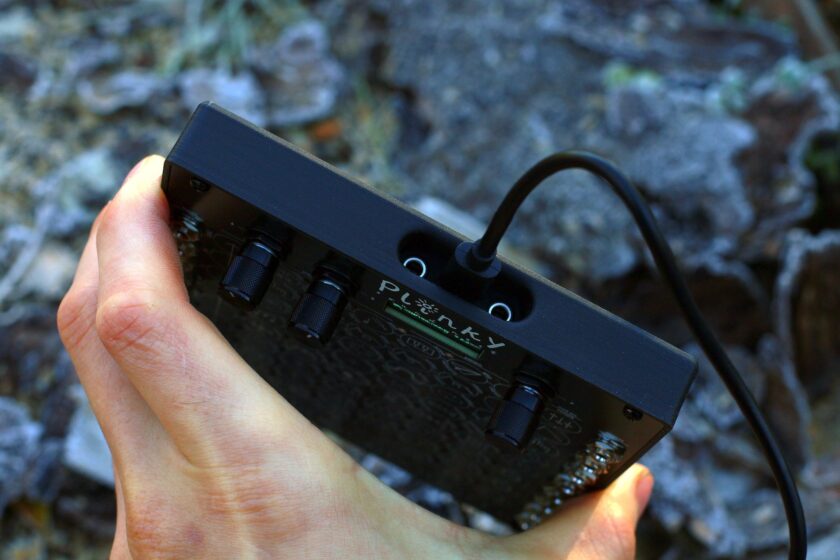
Plinky includes USB-C for power and data, stereo audio I/O, four CV inputs, two CV outputs, and TRS MIDI via 3.5mm jacks. This makes it compatible with Eurorack setups, MIDI gear, and desktop systems. It does not have a built-in battery, so continuous power is required. A portable USB power bank can provide mobility for short, untethered sessions.
During testing, all ports felt secure, with no looseness or connectivity issues. The only minor friction point is that larger cables are harder to seat because of the small clearance of the port area of the included enclosure.
Firmware and Editor Tools
Plinky’s companion editor lives in the browser at plinkysynth.github.io/editor. It allows users to import/export patches, browse community submissions, and manage preset banks over USB.
Over testing, the firmware remained stable with no crashes, glitches, or lost data. Presets saved and loaded via the browser editor without hiccups. The team releases semi-frequent updates, and the most recent version (as of May 2025) brought functional improvements and quality-of-life refinements.
Portability and Real-World Use
Plinky lends itself well to quick idea development, sound experimentation, and ambient layering, particularly in workflows focused on sampling or atmospheric design.
Its small footprint and USB power make it practical to reposition or travel with. The fast startup and self-contained nature meant I often reached for it during downtime, even when I wasn’t planning a full session.
It functions well as a creative sketchpad or standalone source for sound design. Because the setup is minimal, it’s one of the best grab-and-go synthesizers for the money right now.
Community, Support, and Documentation
The official PlinkySynth.com manual is great for getting started. On platforms like Discord, users share patches, workflow tips, and firmware feedback.
Developer feedback appears to influence product decisions, such as adopting USB-C power in recent models. Firmware updates are ongoing and reflect community input.
Who Should Avoid This?
Truth be told, we don’t feel anyone should avoid Plinky. Its distinctive sound is a must-hear, and its compact size allows for play wherever there’s USB-C power. New users unfamiliar with shift-layered interfaces may face a learning curve, as navigating the broader feature set benefits from studying the manual and practicing interface logic.
Considering the public, the only friction point we could consider is that the conductive touch grid behaves differently from keys or pressure-sensitive pads. While this is common sense, it could take some adjustment for those new to synthesizers of this type. It’s highly responsive to finger placement and motion, but if you’re used to MPCs or keyboards, this does not mimic the behavior of traditional keyboard or pad-based instruments.
Reflexiones finales
Plinky stands apart. It’s compact, unconventional, and the moodiest-sounding synthesizer in our studio.
If you’re working in ambient, experimental, or sound design-focused genres, Plinky earns the minimal space it takes up, and with the Plinky+ coming soon, Plinky’s ferocity will soon be available in much bigger form.
FIND MORE REVIEWS AQUÍ.
Review Specs
- Test Period: 2 months
- Model: 2024 USB-C version
- Price at Time of Review: $449 (assembled) / ~$300 approx. (DIY kit)
- Test Location: Altwire Studios
- Firmware: Latest as of May 2025
