Akai Professional has opened new development possibilities for its standalone MPC hardware with the release of the Akai MPC Plugin SDK. The software development kit allows programmers to build custom instruments and audio effects that run directly on compatible MPC devices, without requiring a connected computer during use.
The toolkit is available through inMusic’s official GitHub repository. It includes a C++ development framework, example projects, interface-building tools and documentation covering plugin creation, testing and installation.
One of its more unusual features is support for AI-assisted development. According to the project’s documentation, developers can describe an instrument or effect in ordinary language and use an AI coding assistant to generate the required C++ source code.
Examples include a tempo-synchronized tape delay with feedback filtering, as well as synthesizers and other custom processing tools. The resulting plugins can be compiled for the MPC’s operating system and installed locally.
Which MPC Devices Are Supported By The Akai MPC Plugin SDK?
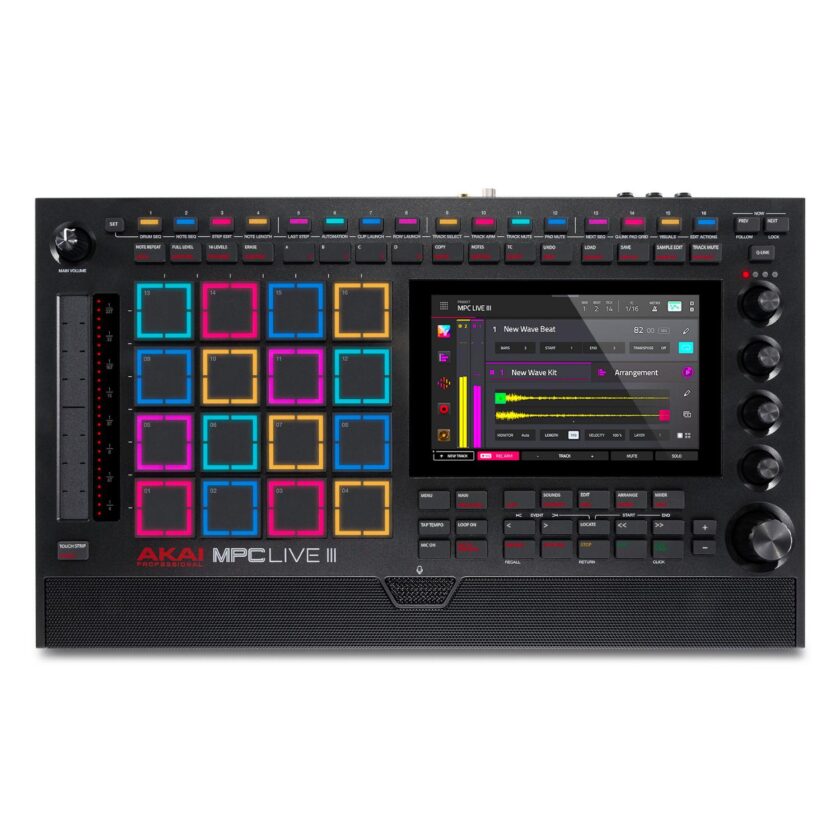
The SDK supports several generations of standalone MPC hardware, including the MPC X, MPC X SE, MPC Live, Live II, One, One+, Key 61 and Key 37. The MPC Live III and MPC XL are also supported.
Akai Force appears in the compatibility list, although the development documentation distinguishes between 32-bit and 64-bit hardware platforms.
Users need MPC OS 3.10.1 or later, along with the External Plugin Support feature enabled in the device’s enhancement settings. Installation also requires external storage, such as a USB drive or SD card.
The plugins use a Linux shared-library format based on the VST 2.4 binary interface. Developers create a plugin manifest and can define controls through a JSON-based interface system designed for MPC touchscreens and hardware controls.
For musicians who primarily work inside the MPC environment, this could introduce additional options beyond the instruments and effects distributed through Akai’s existing plugin ecosystem.
However, the SDK comes with an important warning. Third-party plugins execute inside the MPC application without the protection normally provided by an isolated process. Faulty code could therefore cause the software to freeze or restart.
inMusic states that it does not test or provide technical support for independently developed plugins. The documentation recommends testing projects with the included simulator before installing them on hardware.
The SDK is distributed under the MIT license and includes ready-to-use templates for instrument and effect development.
The complete toolkit, installation requirements and developer documentation are available through inMusic’s official MPC Plugin SDK repository.
Get the AltWire newsletter
The week's best from AltWire, with the artists and sections you pick first. Free; unsubscribe anytime.