

Unison Audio’s plugins spark spirited debate in all corners of the music world. I tested four of them: MIDI Wizard 2, Drum Monkey, Bass Dragon, and Chord Genie.
First, A Note on the Aforementioned “Noise”
Unison Audio has its share of critics, with concerns ranging from pricing and aggressive marketing to a reputation that often gets dragged online. I am not here to pile on or defend. My goal was simple: try these tools in my own projects, see what worked, and call out what did not.
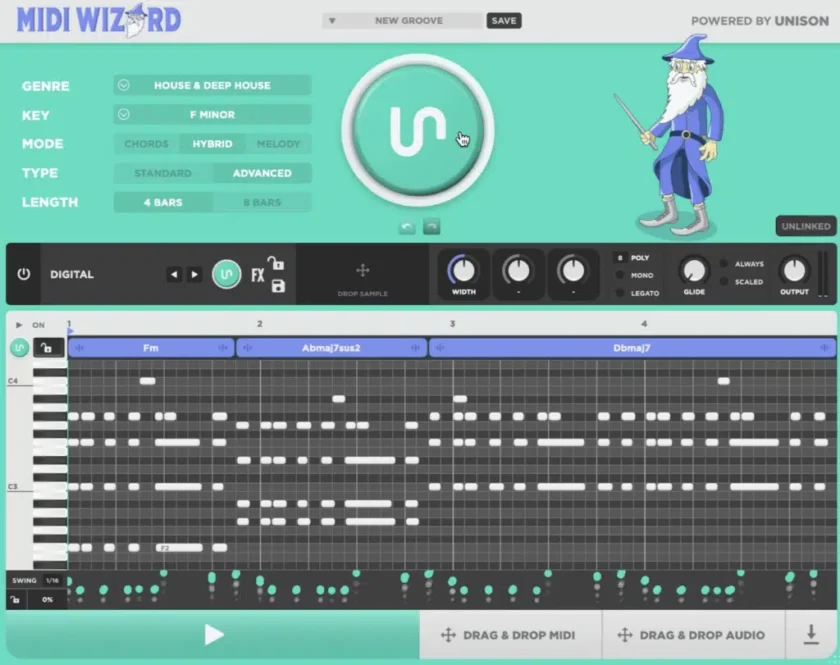
MIDI Wizard 2.0 Review
MIDI Wizard 2.0 is a good example of Unison’s promise of faster songwriting. Unlike Pilot Melody/Chords, which relies on vague “styles,” Wizard provides thirty-two clear genre tags: trance, house, dubstep, disco, jazz, rock, and more. Paired with its key wheel for major and minor, it is easy to pick a starting point and decide whether you want chords, melody, or a hybrid of both.
The factory presets cover everything from trance supersaws to dubstep growls and disco strings. They are polished enough to convey an idea immediately and are perfectly suitable for use in released tracks. Still, I often preferred routing its MIDI into other synths through Ableton, which worked seamlessly. That flexibility is a big plus. You can also import your own samples which is fun.
The tradeoff is control. Pilot Melody lets you tweak octaves, density, inversions, and spacing. Scaler 2 and 3 dig deeper into theory and analysis, but can feel daunting to newcomers. Wizard is about speed, not precision. A valuable addition for the future would be an AI option to generate progressions for genres not already on the list.
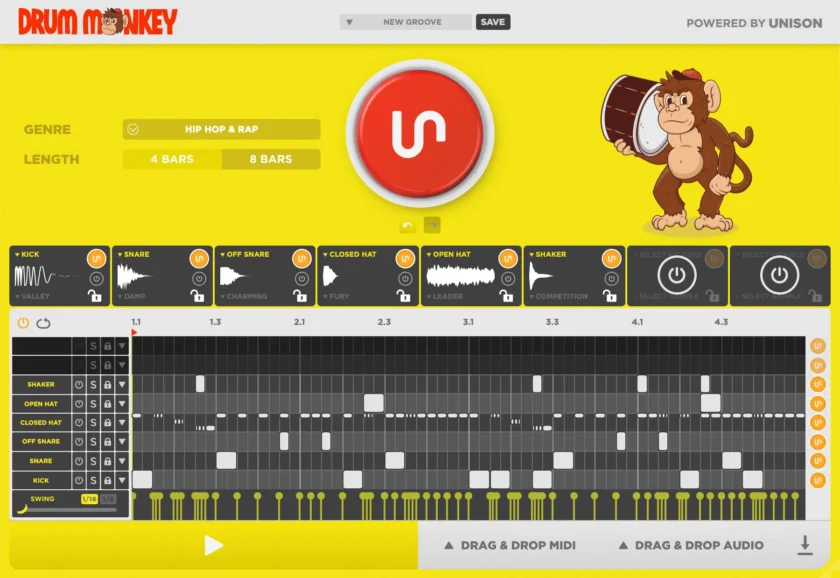
Drum Monkey Review
Drum Monkey delivers genre-matched loops in seconds. Some results were messy, as with any random MIDI generator, but often I got a groove worth keeping, or close after a few tries. The ability to swap in my own samples was a highlight. I had fun dropping in hits from Baby Audio’s Tekno, which gave the grooves extra bite.
For producers who do not have an extensive sample library or prefer simplicity, the included kits are strong. The “Fatten” control adds grit and thump to stock sounds, and the built-in piano roll made it easy to fix minor details in otherwise solid loops.
Compared to Phil Speiser’s The Pattern, Monkey offers more instant genre labeling; however, it lacks an AI option for styles outside the preset list, which The Pattern provides. Adding that would make a big difference.
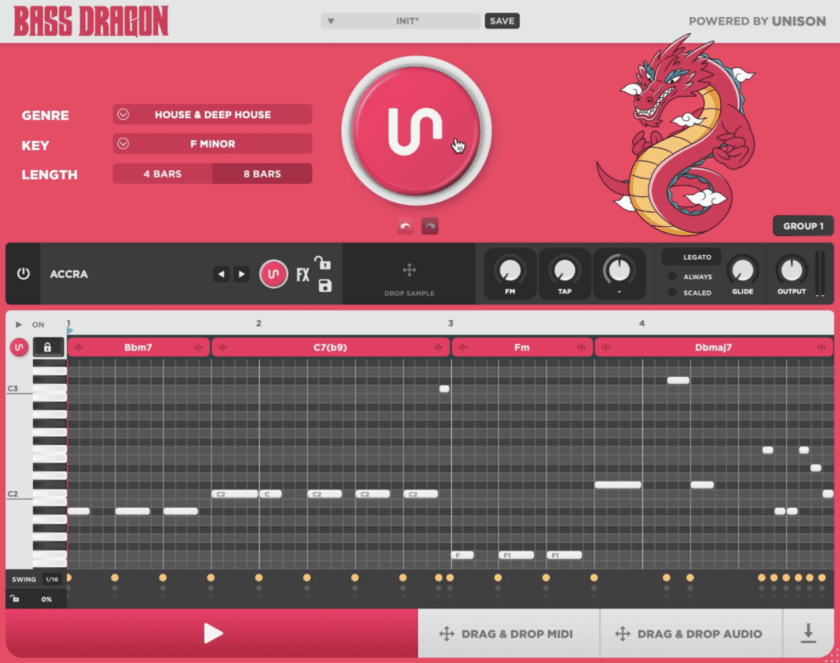
Bass Dragon Review
Bass Dragon ended up being one of my favorites. It comes with a solid range of subs, Moog-style tones, and acid squelches, but the real power is in its sampler. Dragging in any sample instantly turns it into a playable bass patch. I dropped in a few odd one-shots and got gnarly low-end textures I never would have created otherwise.
The Group feature also stands out. Linking Dragon to a progression from MIDI Wizard makes the generated bassline follow the chords automatically. Left unlinked, it still generates in key, though the progressions are random, which can sometimes create happy accidents.
Its speed and sampler flexibility made it more immediate than Pilot or Captain’s bass tools, and I ended up reaching for it more often.
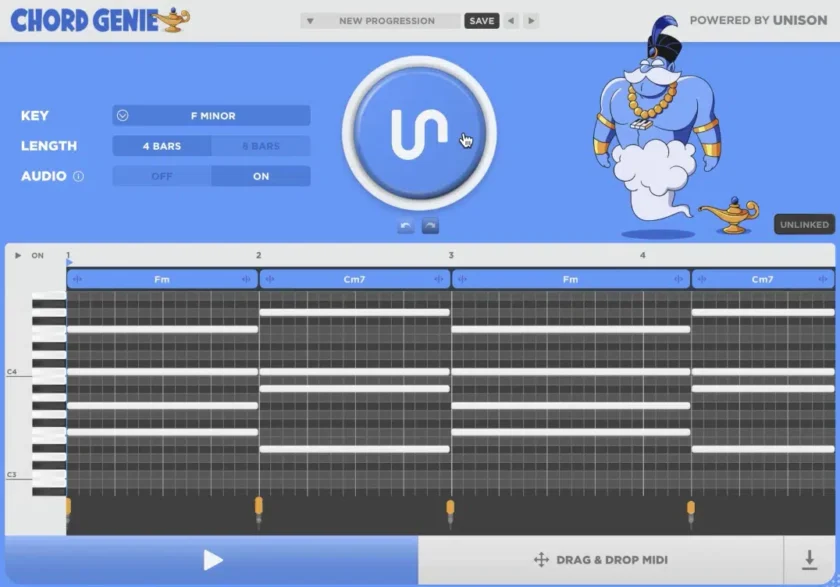
Chord Genie Review
Chord Genie is essentially MIDI Wizard Lite. It does not generate by genre, only by key, which makes its progressions more sketchpad than song-ready. It is fine for idea generation, but redundant if you already have MIDI Wizard 2.0.
The price difference is significant to note. At launch, it was $29, which felt fair as an entry point. At $97, it is harder to recommend when MIDI Wizard 2.0 offers far more. However, it is still a better pricing decision than some of their other plugins.
The pricing discrepancy connects to Unison’s larger problem: their plugins work as advertised, but the pricing can make some stop dead in their tracks. Competitors sell complete plugin suites for under $200, while a single Unison flagship can cost more than that.
For bedroom producers with limited budgets, the pricing feels unrealistic in this current economy. If these plugins cost around $60 to $80 a piece, they would be easy to recommend. At $200 to $300, they cost as much as some hardware sequencers. Hopefully Genie’s pricing is a sign that Unison is contemplating lower pricing in the future.
Potential Issues We Uncovered During Testing And Since – Updated 11/19/25
As a note, on at least one occasion during our testing period, and a few times since then (as of 11/19/25) we encountered crashes in Ableton Live, when using MIDI Wizard. Initially we blamed this on Ableton as it can be a bit temperamental at times but as a review of the Mac Crash Reports showed, the top 11 frames were all inside MIDI Wizard 2.0 and per the event, when Live called into the plug-in, the plug-in touched address 0x0 and died, taking Live down with it.
We are unsure if Unison is aware of this issue and if this has been replicated with other users, but we will update if this gets patched.
Closing Thoughts
After months of use, my picks are clear. MIDI Wizard 2 and Bass Dragon are the standout options, particularly when used in conjunction with each other. They offer one of the fastest ways I have found to sketch out a verse and chorus, and Bass Dragon’s sampler adds a layer of experimentation I greatly enjoyed.
Drum Monkey is reliable for quick drum ideas, with a distortion control that adds character. Chord Genie works as a cheap entry point, but its usefulness disappears once you have MIDI Wizard.
The plugins all do their jobs, but the real issue is price, and potential crash issues that exist, which shouldn’t for that price. For producers with disposable income, they are fun and practical tools. For everyone else, cheaper options may cover the same ground at a fraction of the cost.
Pros
- Swift idea generation across chords, melodies, drums, and bass
- Drag-and-drop MIDI and audio export works smoothly
- Group linking makes MIDI Wizard 2.0 and Bass Dragon a potent combo
- Factory sounds are solid and usable
- Bass Dragon’s sampler encourages unique sound design
Cons
- Pricing is high compared to competitors
- Limited editing depth compared to some rival plugins
