
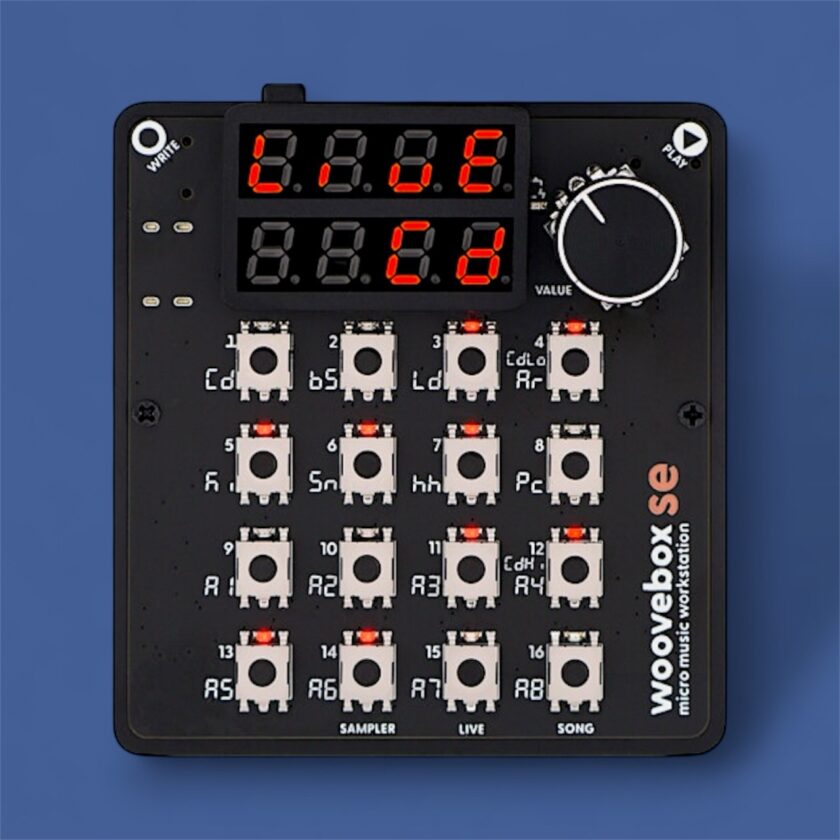
El Woovebox Micro Music Workstation asks a simple question: Can something smaller than a smartphone replace a 1990s studio setup? Remarkable in both its size and functionality, the Woovebox combines a 16-part synthesizer, sequencer, and sampler into a battery-powered device that fits in one hand. With the 2.0 firmware update, it expands its creative range even further, making this an excellent deal for the cost.
Legacy & Origins
A single developer, Ivo, conceived and built the Woovebox in Australia. Over three years of self-funded work, he optimized every byte of code and component to recreate his late-1990s studio workflow in miniature.
To achieve this, he built a unified synth engine capable of generating both analog-style tones and gritty, vintage digital textures from scratch.
Design & Build
The unit measures 73 × 77 × 9 mm and weighs 66 g for the SE and 69 g for the Pro, about the same as a small guitar tuner. It includes 16 tactile buttons, a clickable encoder, and a small LED display.
Battery life is about 9 hours on the SE and roughly 10.5 hours on the Pro.
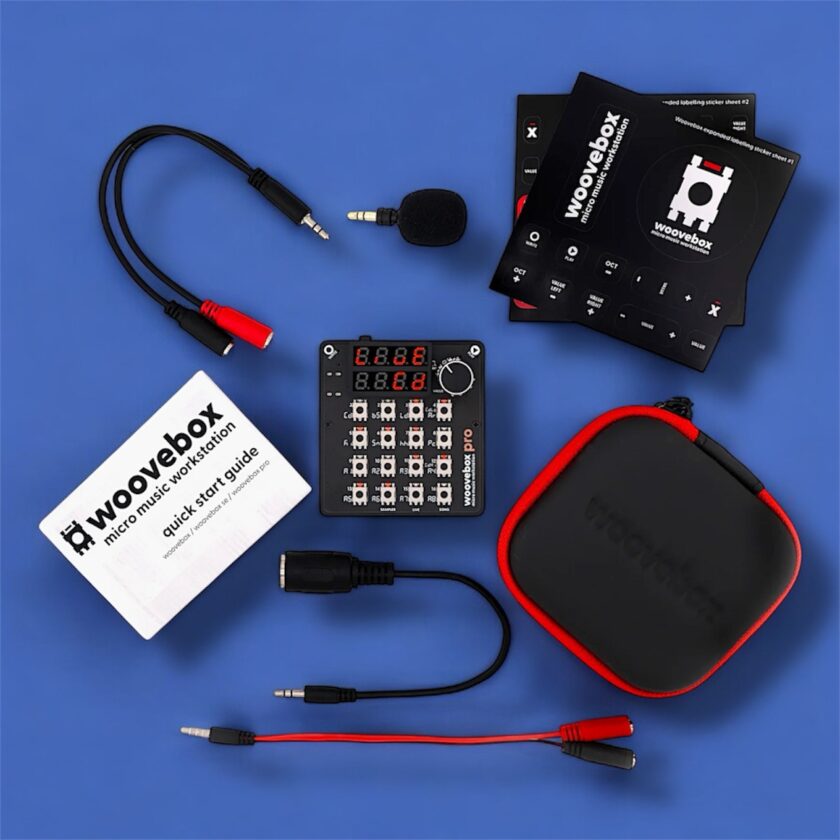
The Pro also includes a breakout cable for MIDI and sync connections, along with other small accessories for enhanced connectivity. The molded plastic chassis feels sturdy, and the included molded zip-up case (in both editions) alleviates concerns that such a small device might break after a few drops.
Sound Engine & Character
The 16-part multitimbral synthesizer engine covers a surprisingly wide range. One polyphonic track provides five voices, while the remaining fifteen offer either a single voice or a more limited 4-voice paraphonic mode. The Woovebox includes 17 oscillator algorithms (including virtual analog, FM, AM, and ring modulation), along with envelopes, LFOs, and 16 filter types.
Effects are generous for the device’s size: distortion, saturation, bitcrushing, compression (all per track), global reverb, chorus, dual-delay units, master compressor, and four side-chaining busses. Even more special, when it comes to the dual-delay units, you can accomplish some funky things, such as tapping into them as oscillators for dub-style filtered feedback effects and more. Woove’s two “DJ FX” loop buffers enable musicians to capture and manipulate real-time audio for stutter effects or drones. In use, the Woovebox can move from lush analog tones to textured lo-fi grit within the same project.
The skip-back sampling system adds creativity. Because the device records its input buffer, you can capture and repurpose a spontaneous riff or external sound instantly. It’s a minor feature that makes a big difference in practice.
Hidden Depths and Advanced Tricks
In a brief review, it’s challenging to demonstrate the full capabilities of the Woovebox beyond its primary functions. Even after weeks of use, most owners will continue to discover new techniques long after the initial power-on.
For example, you could control the Woovebox through several input schemes, turning even an old 1980s toy keyboard into a capable performance controller. It can function as a 16-part multitimbral sound module, allowing you to control each part independently through a DAW or sequencer.
It supports NRPN mapping, which enables compatibility with some GS/XG-style gear such as the Roland MC-303, allowing the Woovebox to serve as a flexible sequencing brain for older hardware and achieve tighter control than standard CC mapping.
The headphone jack also functions as an analog sync output when used with a breakout cable, allowing synchronization with Pocket Operators or other pulse-sync gear. The stereo input lets you sample or process external gear with the onboard effects, enabling you to integrate other instruments into your project.
Song Mode extends sequencing with real-time audio recording and overdubbing, allowing live input to blend seamlessly into an arrangement. You can then export WAV and MIDI files for integration into a DAW or hybrid workflow, including stem export in WAV format.
Many of these features are combinable. You could pair the Woovebox with a MIDI Fighter Twister to perform filter sweeps or scene changes while using Live Mode to trigger transitions. In that setup, the Woovebox handles all sound generation, while the controller handles performance duties. The range of workflows is impressive for a device that fits in the palm of your hand.
Workflow & Performance
The Woovebox performs well in practical use. The sequencer supports 16 songs, each with 16 tracks, 16 patterns, and 16 steps. Advanced features, such as probability triggers and chord quantization, make it suitable for both generative and structured sequencing.
Song Mode allows full arrangements with mutes, automation, and loop-based transitions. The onboard effects make it simple to execute breakdowns and performance builds. Bluetooth MIDI and Expander Mode transform the Woovebox into a 16-part sound module that external keyboards or DAWs can control.
After adjusting to the single-knob workflow, navigation feels natural. Some button-and-knob combinations take muscle memory to master during early use, but they become intuitive over time.
For travel production, the Woovebox became one of our favorite sketchpads. Quiet and portable, it’s ideal for working on grooves wherever creativity takes you.
We can see this working well as a compact performance hub. It can handle basslines and percussion while sending MIDI to external synths. The loop buffers allow stutter effects and breakdowns that energize sets without requiring additional hardware.
Scale, mode, and chord selection tools help assemble musical ideas without requiring a deep understanding of music theory. Over several months of testing, it was easy to complete full sketches within the device and export WAV and MIDI for later mixing and editing.
Sound design-wise, we created distinctive patches using FM and other digital synthesis types, and pushed the modulation system in unconventional ways. Mixing multiple LFOs and utilizing sample-as-oscillator techniques encourages experimentation, leading to fresh timbres.
Verdict
The Woovebox Micro Music Workstation condenses a studio’s worth of synthesis, sampling, and sequencing into a single, portable tool.
We finished testing, impressed by the creative potential that lies within the Woovebox. While the tiny size means you’ll have a learning curve, the frequent updates, including the massive changes in V2.0, make this one of the most feature-rich devices you’ll ever see in something this pocket-sized.
