
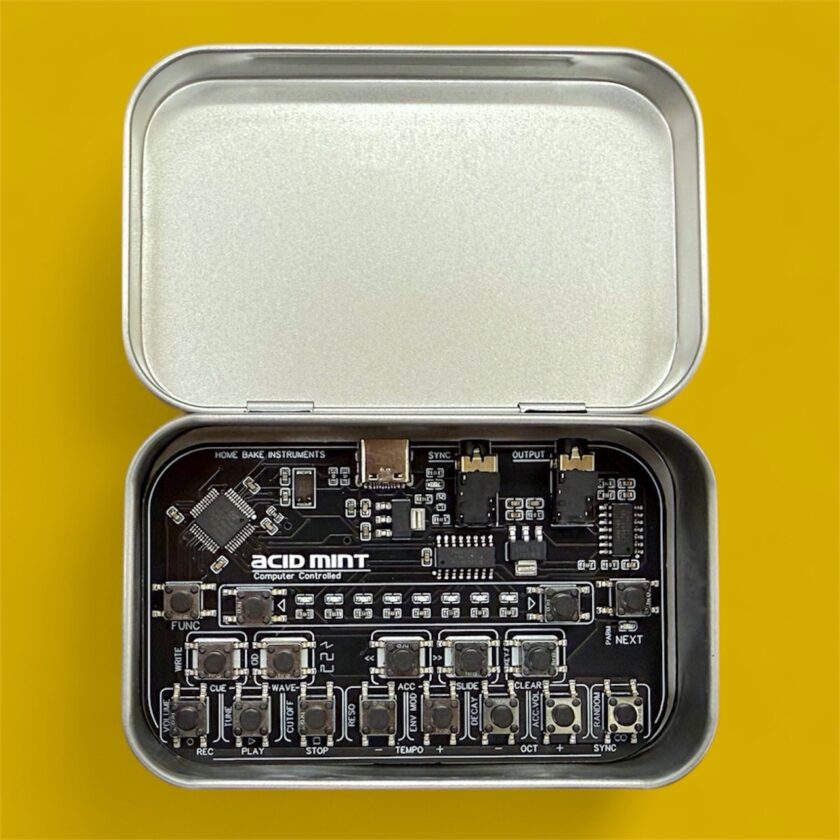
As with so many of my Reverb finds, this one started with a random Instagram account that the algorithm decided I needed to see: over and over again. My first encounter with Home Bake Instruments came through their mint series, those unmistakable mint tins hiding PCB synths inside. At first, I’d scroll past, but the posts kept resurfacing until my curiosity finally won out. A quick search on Reverb revealed these weren’t exactly easy to come by. When an Acid Mint finally popped up, along with an FM Mint from the same maker, I jumped at the chance to grab both. These are tough to find secondhand, and even harder to get new if you’re in the US.
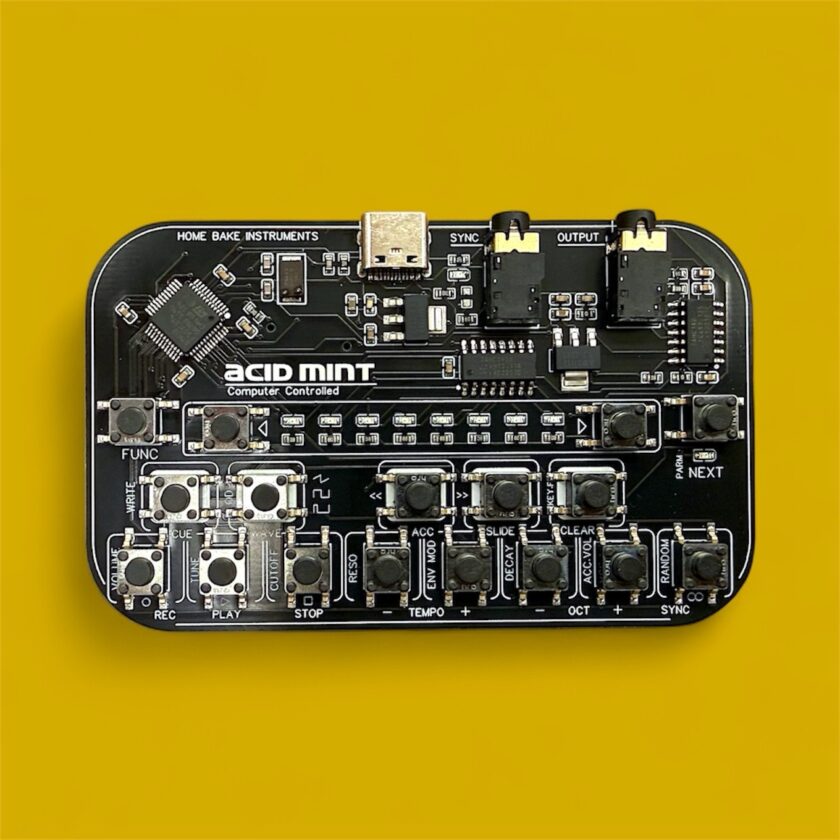
Acid Mint MK1 Impressions
El Acid Mint MK1 from Home Bake Instruments is about as straightforward as it gets: a digital bass synth with a sequencer and phrase generator, all crammed into a mint tin. It runs on USB power, syncs to clock, and sticks to a focused palette of acid bass sounds. Think of it as producing those familiar squelchy acid bass lines that defined a genre, sometimes raw and gritty, other times unexpectedly smooth. There’s no MIDI, no secret features, and no alternate control options. I tried every obvious workaround, but there’s just no way to coax a MIDI connection out of it.
On first use, it performed better than its simple, stripped-down appearance suggested. Not deeper, not more flexible, just easier to get something usable out of than I expected.
Part of that immediacy comes from how small the sound surface really is. On the Acid Mint MK1, you’re working with pitch, filter cutoff, resonance, envelope amount, and decay, with accent and slide doing most of the expressive work. Overdrive is either on or off. You can make it brighter, sharper, shorter, or more aggressive.
That said, it’s not all smooth sailing. Figuring out the button combos on such a tiny device takes some getting used to. For example, to use the random phrase generator, you need to press and hold a specific button while simultaneously tapping another to trigger it. Seems easy, right? Well, for some reason, it took me more than one attempt to get the combination to trigger as expected.
Still, the friction is worth it. The phrase generator is where the Acid Mint is the most fun. Using it feels a bit like spinning a slot machine: sometimes you hit on something genuinely great, but don’t forget to save the pattern in one of the storage slots if you like it.
Hitting RANDOM doesn’t just reshuffle notes. It regenerates the entire pattern at once, including step order, accents, slides, and octave movement, but it leaves the core sound settings intact unless you change them yourself. As far as I can tell, there’s no way to go back to a previous one on the MK1 if you didn’t save it first. If you stumble onto something you like, your best bet is to either save it or record it straight from the 3.5mm output, because if you don’t save it, once it’s gone, it’s gone.
It’s a fantastic little sketchpad, but its minimalism means you hit the boundaries pretty quickly. The tiny, folded manual tucked inside the case spells out everything it does. You get exactly what you see; no functions hide past what’s on the surface.
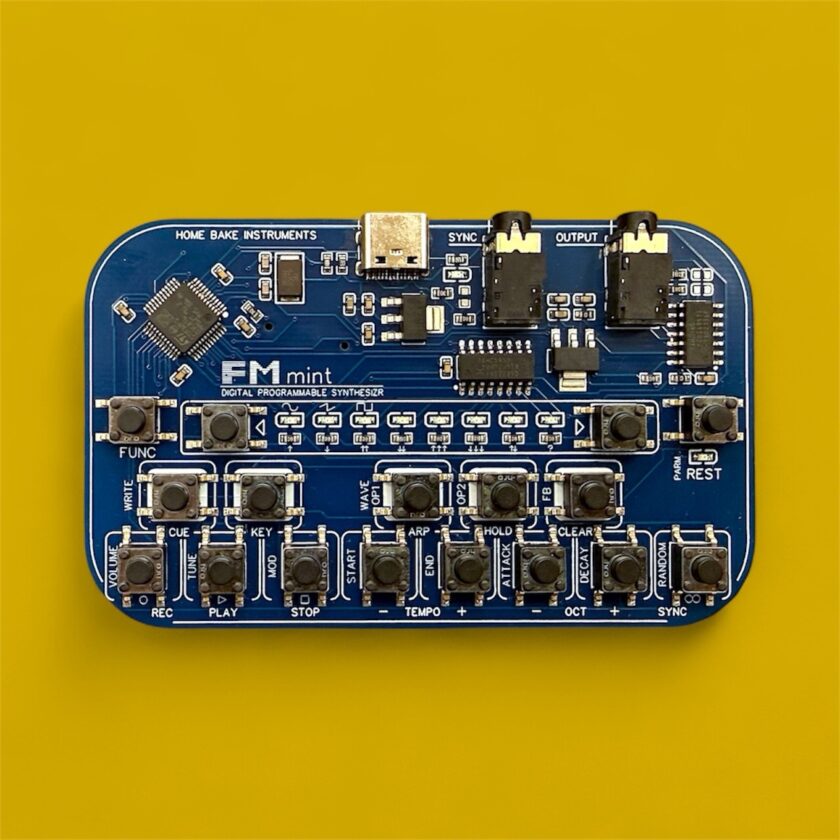
FM Mint MK1 Impressions
FM synthesis is less forgiving of reduction. Compressing it into the same mint-tin format felt like a gamble, and I wasn’t sure what kind of experience it would produce.
Sound-wise, the FM Mint MK1 sits comfortably in that classic ’80s FM territory, but without forcing you to do math homework to get a decent patch. Two operators form the core of each FM Mint MK1 voice. You can select waveforms for both, adjust feedback on OP1, and use a small set of envelope-style controls to shape how modulation changes over time. You can control how the sound starts and ends, how quickly it rises and falls, and how bright it becomes, but there’s no access to operator ratios, routing, or individual envelopes. As such, don’t expect deep FM programming here.
Still, from a sound standpoint, there is a lot more depth here than on the Acid Mint, and a possibility to make plenty of different sounds on a tiny device. But, much like the Acid Mint, there’s no MIDI, so you’re either entering notes directly or relying on the same random pattern generator. If there’s any device where the inability to control this via an external keyboard hurts, it’s here.
Between the two, I kept coming back to the Acid Mint. Maybe it’s my bias for that era of music, or perhaps it’s just that the Acid Mint gets me to a good sound faster. Which one you’ll get more out of really depends on what you’re after. The Acid Mint is the one I’m more likely to reach for, as it’s quick to spark ideas. The FM Mint takes more effort and doesn’t consistently deliver instant results, but if you’re up for the challenge, it’s worth tracking down. Both are tough to find, even used. In fact, as of this time only four of their devices exist on Reverb.
I felt lucky to get my hands on the MK1s, and I’m genuinely curious to see how the newer versions stack up. If we ever get a chance to try them, expect an updated review.
